Visual Studio resx processing error
Visual Studio resx processing error
June 21, 2019
Note
This post may be partially machine- or AI-translated. If there is any discrepancy, the Korean version takes precedence.
Note
This post might be outdated and some links might not be available.
This happens because files downloaded from the internet can keep ADS and the Mark of the Web.
The file properties dialog may show, “This file came from another computer and might be blocked to help protect this computer.”
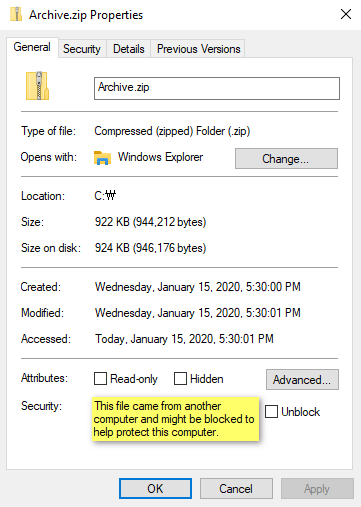
Visual Studio may also print a message like this in the output pane:
MSB3821: Couldn't process file 'value' due to its being in the Internet or Restricted zone or having the mark of the web on the file. Remove the mark of the web if you want to process these files.Solution
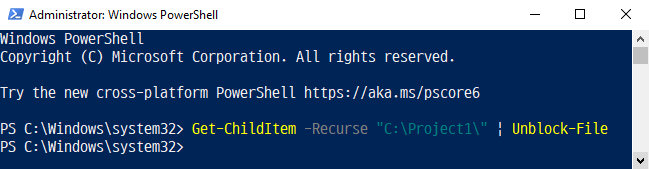
Run PowerShell as administrator, then run:
// Example project path: C:\Project1

> Get-ChildItem -Recurse "project path" | Unblock-File
This removes the block from the files.
Last updated on