Removing borders from the WordPress Twenty Sixteen theme
Removing borders from the WordPress Twenty Sixteen theme
June 26, 2019
Note
This post may be partially machine- or AI-translated. If there is any discrepancy, the Korean version takes precedence.
Note
This post might be outdated and some links might not be available.
I am using the Twenty Sixteen WordPress theme.

On desktop, the black border makes the page feel cramped.
Remove the border
This applies when you are using the Twenty Sixteen theme.
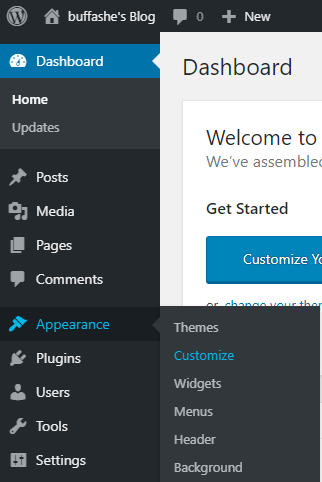
Open the WordPress admin page, then go to Appearance -> Customize.
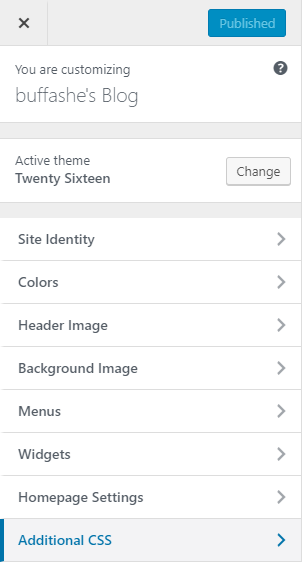
Select Additional CSS from the left menu.
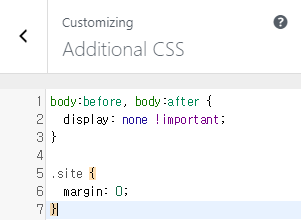
Enter the following in the Additional CSS editor:
body:before, body:after {
    display: none !important;
}

.site {
    margin: 0;
}
You can see in the live preview on the right that the border is gone.
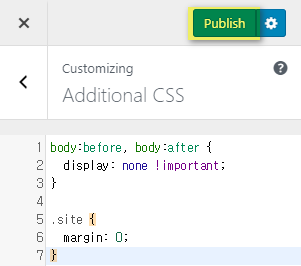
Click Publish to apply the modified theme.
Last updated on